Unlock smarter growth with the combined power of FreeKwent and Greta.
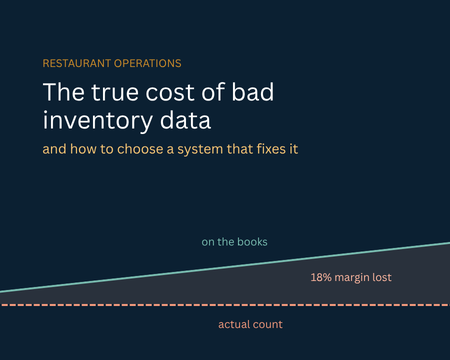
The True Cost of Bad Inventory Data & How to Choose a System That Fixes It
Here is everything you need to know about what stock inaccuracies are costing you & how to find the right retail inventory management software to combat them.
Summary
- Inventory distortion, stockouts and overstocks combined cost global retail an estimated $1.77 trillion a year (IHL Group). Most of that loss never appears as a line item; it shows up as revenue that simply never happened.
- Retail inventory accuracy averages around 63% in studies of unaided stock records. If your on-hand numbers are wrong a third of the time, every purchasing decision built on them is a guess.
- A retail inventory management system fixes this by tracking stock in real time, automating reorder decisions, and living inside the POS rather than beside it.
- When you evaluate vendors, weigh POS integration, multi-location sync, reporting depth, and total cost of ownership, not feature count.
- The system that wins is the one your staff will actually use every day; adoption beats sophistication.
The costly inventory issues never show up on the P& L. There is no information about the stockout when a customer came up looking for an item, didn’t find it and went away. This multiplied over a year will clearly show you what you haven’t paid attention to.
According to industry estimates. Inventory distortion stockouts, overstocks, and returns is put at $1.77 trillion globally each year (IHL Group), and studies of retail stock records repeatedly find average accuracy near 63%. Roughly one in three on-hand figures doesn't match the shelf. Meanwhile, carrying costs run 20–30% of inventory value annually, so slow stock quietly bleeds a quarter of its worth every year it sits.
Do the math on your own store.
At $1.2M annual revenue, losing a conservative 5% of sales to unavailable items is $60,000 in revenue that never happened $21,000 of gross profit at a 35% margin. Add $40,000 of dead stock at 25% carrying cost, and you're at $31,000 a year, against software costing under $1,200.
In this guide, we’ll shed light on the problems a retail inventory management system fixes, the features that matter, and how to compare vendors without getting lost.
What is a retail inventory management system & why does it matter?
A retail inventory management system tracks, controls and optimizes stocks across your entire operations. Furthermore, the IMS logs every sale, delivery, transfer & return. The reorder rules are applied based on your definition and allow POS, e-commerce storefront and purchasing tools to work collaboratively.
What separates a retail-specific IMS from generic inventory software is that it's built for how retail actually runs: high SKU counts, barcode and label workflows, supplier lead times, promotional periods, and stock being sold in several places at once. Core capabilities include SKU-level tracking, barcode support, automated reorder triggers, supplier and purchase order management, and continuous real-time stock updates.
Signs You've Already Outgrown Your Current Setup
Surveys of small and mid-sized businesses have repeatedly found that a large share still track inventory manually or don't track it systematically at all spreadsheets, clipboards, or the owner's memory. If any of the following sound familiar, the cost is already accumulating.
- You reorder on instinct. Without demand data and lead-time tracking, replenishment is a guess. The predictable result: your best sellers, buried in the ones that don't move.
- You can't see across locations. If a manager phones another store to check stock, you're running on phantom inventory. You can't offer transfers confidently, and you can't rebalance stock between sites before it turns into markdown.
- Counts take a weekend: If a full physical count means closing early or paying overtime and the variance is large enough to be depressing, your system isn't supporting cycle counting the way it should.
- Your numbers don't reconcile. When the POS says one thing and the inventory sheet says another, someone is re-keying data between systems. Manual transfer between disconnected tools is among the most common sources of inventory error in retail, and it compounds silently.
- Nobody trusts the report. The clearest signal of all. When staff stop believing the on-hand figure and walk to the shelf instead, the system has already failed, whatever it cost.
Find out what your inventory data is actually costing you
At KonnektIQ product specialist can walk through your stock turnover, dead stock, and reorder process - and show you what accurate numbers would change
✔ No credit card required
✔ 30-minute walkthrough
✔ Setup in under a week
Key Features to Look for in Retail Inventory Management Software
- Real-Time Stock Visibility: A modern inventory management platform should update after a sale, return, or delivery is recorded. This is helpful for multi-location retailers, as when you’re out of something, the staff can redirect or transfer customers instead of giving it to the competitor.
- Automation and Reordering Rules: The best retail management software takes replenishment off your desk with configurable reorder points with safety stock levels, supplier lead times and automatic purchase order generation when the stock drops. AI-based forecasting minimizes errors due to manual guesswork, leading to stockouts.
- POS and Multichannel Integration: This is a very critical IMS feature as it must reside within your POS, inside your point of sale, so that in-store availability or sales can be tracked instantly. Look for a POS with inventory management built in, plus open API access for the eCommerce platform, accounting software, or ERP you already run.
- Mobile and Handheld Support: Counting stock on a laptop balanced on a shelf is not a workflow. Look for mobile apps or handheld scanner support so staff can run cycle counts, receive deliveries, and process transfers where the stock physically is. The floor benefit is just as real: an associate who can check availability across every location in ten seconds keeps a sale that would otherwise walk out.
- Cloud Architecture and Scalability: Cloud delivery is now the baseline, giving authorised users the same live data from any device, anywhere essential for multi-site operators and anyone who doesn't want to be physically present to know what's happening. It also means automatic updates, no on-premises server to maintain, and real scalability: adding a location or expanding your catalogue should be a configuration change.
Surveys of small and mid-sized businesses have repeatedly found that a large share still track inventory manually or don't track it systematically at all spreadsheets, clipboards, or the owner's memory. If any of the following sound familiar, the cost is already accumulating.
Signs You've Already Outgrown Your Current Setup
- You reorder on instinct. Without demand data and lead-time tracking, replenishment is a guess. The predictable result: your best sellers, buried in the ones that don't move.
- You can't see across locations. If a manager phones another store to check stock, you're running on phantom inventory. You can't offer transfers confidently, and you can't rebalance stock between sites before it turns into markdown.
- Counts take a weekend: If a full physical count means closing early or paying overtime and the variance is large enough to be depressing, your system isn't supporting cycle counting the way it should.
- Your numbers don't reconcile. When the POS says one thing and the inventory sheet says another, someone is re-keying data between systems. Manual transfer between disconnected tools is among the most common sources of inventory error in retail, and it compounds silently.
- Nobody trusts the report. The clearest signal of all. When staff stop believing the on-hand figure and walk to the shelf instead, the system has already failed, whatever it cost.
Key Features to Look for in Retail Inventory Management Software
- Real-Time Stock Visibility: A modern inventory management platform should update after a sale, return, or delivery is recorded. This is helpful for multi-location retailers, as when you’re out of something, the staff can redirect or transfer customers instead of giving it to the competitor.
- Automation and Reordering Rules: The best retail management software takes replenishment off your desk with configurable reorder points with safety stock levels, supplier lead times and automatic purchase order generation when the stock drops. AI-based forecasting minimizes errors due to manual guesswork, leading to stockouts.
- POS and Multichannel Integration: This is a very critical IMS feature as it must reside within your POS, inside your point of sale, so that in-store availability or sales can be tracked instantly. Look for a POS with inventory management built in, plus open API access for the eCommerce platform, accounting software, or ERP you already run.
- Mobile and Handheld Support: Counting stock on a laptop balanced on a shelf is not a workflow. Look for mobile apps or handheld scanner support so staff can run cycle counts, receive deliveries, and process transfers where the stock physically is. The floor benefit is just as real: an associate who can check availability across every location in ten seconds keeps a sale that would otherwise walk out.
- Cloud Architecture and Scalability: Cloud delivery is now the baseline, giving authorised users the same live data from any device, anywhere essential for multi-site operators and anyone who doesn't want to be physically present to know what's happening. It also means automatic updates, no on-premises server to maintain, and real scalability: adding a location or expanding your catalogue should be a configuration change.
During the shortlisting stage, you can’t differentiate platforms based on the features since every vendor makes the same claims. Watch out for the aspects highlighted below:
- Independent reviews: Go through G2, Capterra & SourceForge consisting of products with three-star reviews out of five stars. This is where the truth lies, with the caveats attached.
- Support model and location: Ask whether support is in-house or outsourced, what the hours actually are, and what happens when a register goes down on a Saturday afternoon. Then ask to speak to someone from the support team, not sales, before you sign anything.
- Product roadmap: Has the software launched or is it in maintenance mode? Ask what shipped in the last twelve months. A vendor who can't answer specifically is telling you something.
- Run your own scenarios: Avoid the scripted tour; it's built to hide the friction. Bring three real situations: a transfer between locations, a multi-item return, a delivery that arrives short.
- Watch the interface: A powerful system your staff avoid is worse than a simple one they adopt. Count the clicks during the demo: if a daily task takes seven, it takes seven every day for the next five years.
How to Compare Vendors Beyond the Feature Checklist
A Checklist of Requirements for Retail Inventory Management Software
Before exploring the inventory management platform software, here is a checklist that you need to review to make a suitable choice.
- How many locations?
Single-site retailers can often get by with basic POS inventory. Multi-location businesses need true multi-warehouse visibility and stock transfer workflows.
- Which sales channels?
Store-only is simpler; store plus online requires omnichannel syncing. Store, online, plus wholesale or B2B channels adds complexity.
- How many SKUs?
500 SKUs and basic variants are straightforward. 10,000+ SKUs with complex variants (size, colour, material, batch) demand robust search and filtering.
- Which POS or till system?
Some inventory platforms are built into a POS (like Square or Xero). Others work with third-party till systems via API integration.
- Barcode generation
Do you need the system to generate barcodes, or do you have existing barcodes from suppliers?
- Supplier ordering
Can you order directly from suppliers within the system, or do you manage orders in email and spreadsheets?
- Cost per month
Retail inventory software ranges from free (basic) to £100+/month (feature-rich). Understand what’s included in each tier.
- Implementation speed
Some systems go live in days; others take weeks. For small retailers, speed matters.
- Support Will you need a dedicated account manager, or is email/chat support enough?
Unlock smarter growth with the combined power of FreeKwent and Greta.
Comparing Your Options: Key Platforms for Retail Inventory
The table below compares the main platforms available to UK retailers. This represents what’s publicly reported as of August 2026; pricing and features change frequently, so verify directly with each vendor.
| Platform | Best for | Multi-location support | POS Included | Ecommerce Integration | Typical Cost |
|---|---|---|---|---|---|
| Square | Fast-moving retailers, pop-ups, quick launches | Yes, with real-time sync | Yes, included | Shopify, WooCommerce | Free, £70/month |
| Xero | Retailers who want accounting + inventory in one place | Limited; better for single location | Via partner POS systems | Shopify, WooCommerce, Amazon | From £24/month |
| Lightspeed Retail | Multi-location independent retailers | Yes, robust | Yes, included | Shopify, Amazon, eBay, WooCommerce | From £45/month per location |
| Shopify POS | Retailers already on Shopify | Yes | Yes, included | Native; automatic | From £0/month (with Shopify plan) |
| Odoo | Growing retailers needing ERP + inventory | Yes | Optional module | Via integrations or custom | From £1,500/year |
| Clarus WMS | Multi-location retailers with complex omnichannel or warehouse fulfilment | Yes, advanced | Via API integration | Shopify, WooCommerce, Amazon, others | From £1,000/month |
| KonnektIQ | Restaurants & multi-location retailers | Yes | Via API integration | Releasing soon | To be updated. |
Surveys of small and mid-sized businesses have repeatedly found that a large share still track inventory manually or don't track it systematically at all spreadsheets, clipboards, or the owner's memory. If any of the following sound familiar, the cost is already accumulating.
Signs You've Already Outgrown Your Current Setup
- You reorder on instinct. Without demand data and lead-time tracking, replenishment is a guess. The predictable result: your best sellers, buried in the ones that don't move.
- You can't see across locations. If a manager phones another store to check stock, you're running on phantom inventory. You can't offer transfers confidently, and you can't rebalance stock between sites before it turns into markdown.
- Counts take a weekend: If a full physical count means closing early or paying overtime and the variance is large enough to be depressing, your system isn't supporting cycle counting the way it should.
- Your numbers don't reconcile. When the POS says one thing and the inventory sheet says another, someone is re-keying data between systems. Manual transfer between disconnected tools is among the most common sources of inventory error in retail, and it compounds silently.
- Nobody trusts the report. The clearest signal of all. When staff stop believing the on-hand figure and walk to the shelf instead, the system has already failed, whatever it cost.
Key Features to Look for in Retail Inventory Management Software
- Real-Time Stock Visibility: A modern inventory management platform should update after a sale, return, or delivery is recorded. This is helpful for multi-location retailers, as when you’re out of something, the staff can redirect or transfer customers instead of giving it to the competitor.
- Automation and Reordering Rules: The best retail management software takes replenishment off your desk with configurable reorder points with safety stock levels, supplier lead times and automatic purchase order generation when the stock drops. AI-based forecasting minimizes errors due to manual guesswork, leading to stockouts.
- POS and Multichannel Integration: This is a very critical IMS feature as it must reside within your POS, inside your point of sale, so that in-store availability or sales can be tracked instantly. Look for a POS with inventory management built in, plus open API access for the eCommerce platform, accounting software, or ERP you already run.
- Mobile and Handheld Support: Counting stock on a laptop balanced on a shelf is not a workflow. Look for mobile apps or handheld scanner support so staff can run cycle counts, receive deliveries, and process transfers where the stock physically is. The floor benefit is just as real: an associate who can check availability across every location in ten seconds keeps a sale that would otherwise walk out.
- Cloud Architecture and Scalability: Cloud delivery is now the baseline, giving authorised users the same live data from any device, anywhere essential for multi-site operators and anyone who doesn't want to be physically present to know what's happening. It also means automatic updates, no on-premises server to maintain, and real scalability: adding a location or expanding your catalogue should be a configuration change.
Implementation: Where Most of the Value Is Won or Lost
Choosing the system is the visible decision. Implementing it properly determines whether you see the return.
- Clean your data before migrating: Standardize SKUs, verify barcodes, and resolve existing discrepancies first. Migrating bad data into a good system produces a good system full of bad data.
- Roll out in phases: Start with one location or one product category. A controlled pilot surfaces problems while they're still cheap to fix.
- Train by role: Cashiers, receiving staff, and buyers each need something different. Personnel and process issues account for a substantial share of global inventory distortion losses; this isn't the line item to economise on.
- Set KPIs: Inventory accuracy, turnover, stockout rate, and shrink. If you don't measure them beforehand, you'll have no way to prove the system worked or to catch it if it didn't.
- Manage the change, not just the software: Explain to the team why it's happening and what it fixes for them personally. Resistance is almost always about process, not technology.
How to Compare Vendors Beyond the Feature Checklist
During the shortlisting stage, you can’t differentiate platforms based on the features since every vendor makes the same claims. Watch out for the aspects highlighted below:
- Independent reviews: Go through G2, Capterra & SourceForge consisting of products with three-star reviews out of five stars. This is where the truth lies, with the caveats attached.
- Support model and location: Ask whether support is in-house or outsourced, what the hours actually are, and what happens when a register goes down on a Saturday afternoon. Then ask to speak to someone from the support team, not sales, before you sign anything.
- Product roadmap: Has the software launched or is it in maintenance mode? Ask what shipped in the last twelve months. A vendor who can't answer specifically is telling you something.
- Run your own scenarios: Avoid the scripted tour; it's built to hide the friction. Bring three real situations: a transfer between locations, a multi-item return, a delivery that arrives short.
- Watch the interface: A powerful system your staff avoid is worse than a simple one they adopt. Count the clicks during the demo: if a daily task takes seven, it takes seven every day for the next five years.
Bring your own scenarios to the demo
A specialist will run your real workflows - transfer, receiving, cycle counts - using your product categories, not a generic sample catalogue.
✔ Your data, your categories
✔ 45-minute session
✔ No prep required
Implementation: Where Most of the Value Is Won or Lost
Choosing the system is the visible decision. Implementing it properly determines whether you see the return.
- Clean your data before migrating: Standardize SKUs, verify barcodes, and resolve existing discrepancies first. Migrating bad data into a good system produces a good system full of bad data.
- Roll out in phases: Start with one location or one product category. A controlled pilot surfaces problems while they're still cheap to fix.
- Train by role: Cashiers, receiving staff, and buyers each need something different. Personnel and process issues account for a substantial share of global inventory distortion losses; this isn't the line item to economise on.
- Set KPIs: Inventory accuracy, turnover, stockout rate, and shrink. If you don't measure them beforehand, you'll have no way to prove the system worked or to catch it if it didn't.
- Manage the change, not just the software: Explain to the team why it's happening and what it fixes for them personally. Resistance is almost always about process, not technology.
Accurate Inventory Is a Growth Lever, Not Back-Office Admin
Inventory accuracy doesn't feel like a growth initiative. It feels like housekeeping. But look at what it touches: every sale you can complete, every dollar not sitting in dead stock, every hour not spent counting, every loss caught early instead of at year-end audit, every purchasing decision made from real numbers rather than a feeling.
Those improvements arrive quietly and from several directions at once, which is exactly why the problem goes unaddressed for so long. Nothing dramatic breaks. Revenue just comes in lower than it should, year after year.
The right inventory management system for your retail store is the one your team will genuinely use, that connects to your register without an intermediary, and that scales when you open the next location. Everything else is a feature comparison.
Unlock smarter growth with the combined power of FreeKwent and Greta.
Test it on your own inventory before you commit
Unlimited free trial, no credit card required, and 60 days to change your mind.
✔ No credit card
✔ 60-day money-back guarantee
✔ Full feature access
Frequently Asked Questions(FAQs)
What is a retail inventory management system?
Software that tracks and controls stock across your locations and sales channels in real time. It records every sale, delivery, transfer, and return, applies your reordering rules, and keeps your POS and online store working from the same numbers — replacing the spreadsheets and manual counts most retailers start with.
Do I need a separate inventory system if my POS already tracks stock?
Usually not, and often you're better off without one. A POS with inventory management built in avoids the sync failures and reconciliation work of running two systems. A standalone IMS only makes sense if you have warehouse-scale requirements your POS genuinely can't cover.
How much does retail inventory management software cost?
The cost of retail inventory management software depends on numerous components like features and functionalities, the number of terminals and locations you run, whether inventory is included in the base plan or sold as a paid module, and one-off costs such as data migration, hardware, and staff training. Consult a provider to get complete cost estimates based on your needs.
Can I manage inventory across multiple store locations?
Yes, provided the system is cloud-based. Inventory management software synchronises stock across all terminals and locations in real time, so staff can see availability at any site and process transfers from the register.
How long does implementation take?
A single location with clean data can be running within days. Multi-location rollouts with data migration and staff training typically take a few weeks to a few months. The bottleneck is almost always data preparation, not software configuration.
Does inventory management software help with shrinkage?
Accurate perpetual counts plus regular cycle counting surface variances quickly, so a discrepancy appears as a flagged count rather than an unexplained gap at year-end. Movement reporting also helps pinpoint where and when losses occur.
Will it work with my eCommerce store?
It should look for native integrations with major platforms plus open API access for anything custom. KonnektIQ offers API access from the Core plan upward, so online and in-store stock stay aligned.
See KustomerIQ Inventory Management in action
A product specialist will walk through your categories, your locations, and your reader workflow - and show you exactly what the system looks like at the register and in the back office.
✔ Unlimited free trial
✔ No credit card required
✔ In-house 42/7 support
✔ 60-day money-back guarantee